
Explore the major Webflow updates, including CMS Field Grouping, ChatGPT integrations, AI credits, Real-Time Page Branching, and Component Slots in this step-by-step breakdown.



Webflow continues to roll out major architectural improvements designed to scale agency workflows, reduce build friction, and streamline team collaboration. From built-in AI tools to modular layout controls and real-time co-designing, these releases represent a major shift in how visual developers build modern websites.
As a Sydney-based Web Designer and Webflow Expert, understanding the practical mechanics of each feature ensures your builds remain scalable, performant, and client-friendly.
Below is an itemized breakdown of every single update covered in the video walkthrough, following the exact timestamp sequence.
Managing complex CMS collections with dozens of custom fields often led to endless vertical scrolling in the Collection Settings panel. With CMS Field Grouping, you can now organize fields into collapsible, labeled sections (such as "Hero Section", "Author Info", or "SEO Meta"). This makes the backend intuitive for clients and prevents accidental edits during content handoffs.

Native integration between Webflow and OpenAI’s ChatGPT brings AI-driven content workflows directly into your build environment. Instead of context-switching between external apps and the Canvas, designers can generate, rewrite, and refine page copy, structural ideas, and CMS content blocks directly inside Webflow.
With the introduction of native AI capabilities comes a structured AI Credit and Pricing system across Workspace plans. This segment breaks down how AI credits are consumed per action, how workspace admins can track credit balances, and what options exist for purchasing additional credit pools for heavy agency production.
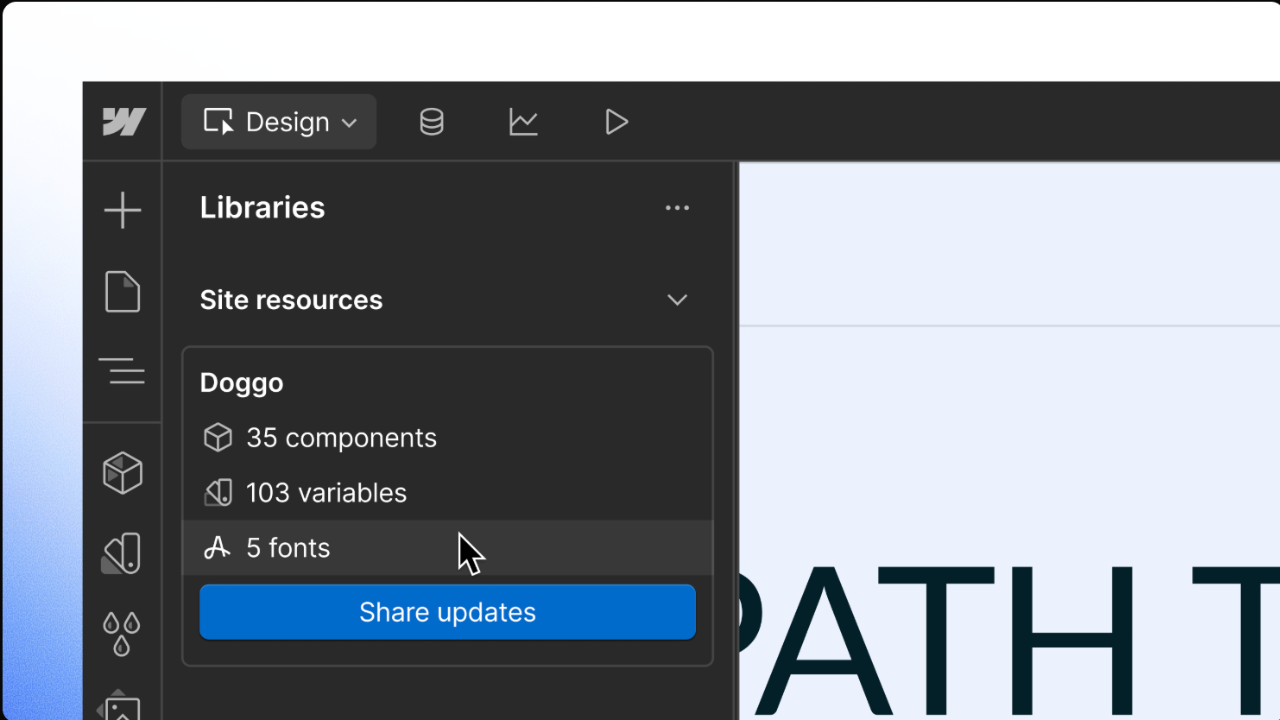
Webflow’s asset and layout ecosystem receives a major boost with enhanced Workspace Libraries. Teams can now publish, share, and sync pre-built components, style guide elements, and UI patterns across multiple client projects seamlessly, drastically reducing build times for repetitive layouts.
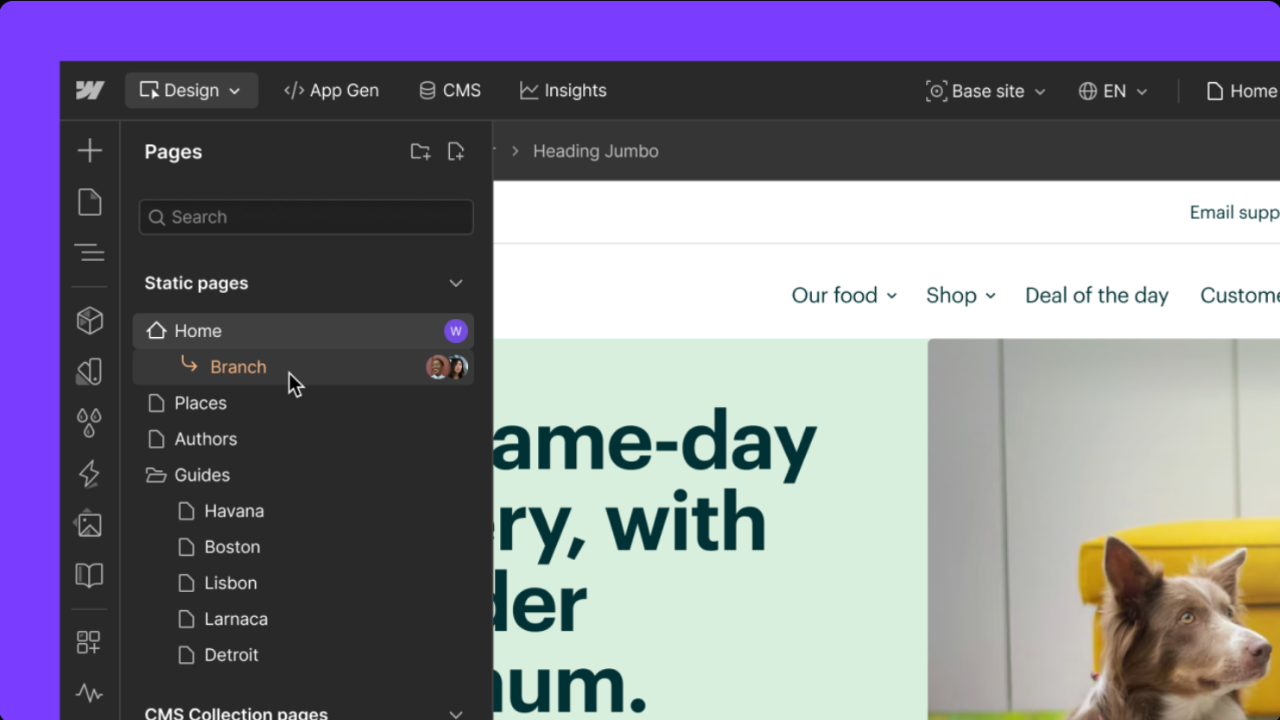
One of the most requested enterprise features: Real-time Page Branching allows team members to create isolated working copies of specific pages. Designers can build, test, and iterate on design variations independently without risking live production or blocking other team members on staging—merging changes cleanly when approved.
A total game-changer for modular design, Component Slots bring true element composition to Webflow components. Instead of creating multiple component variants for minor structural tweaks, slots provide designated, flexible regions where unique child elements can be dropped per page instance while keeping parent styles locked.
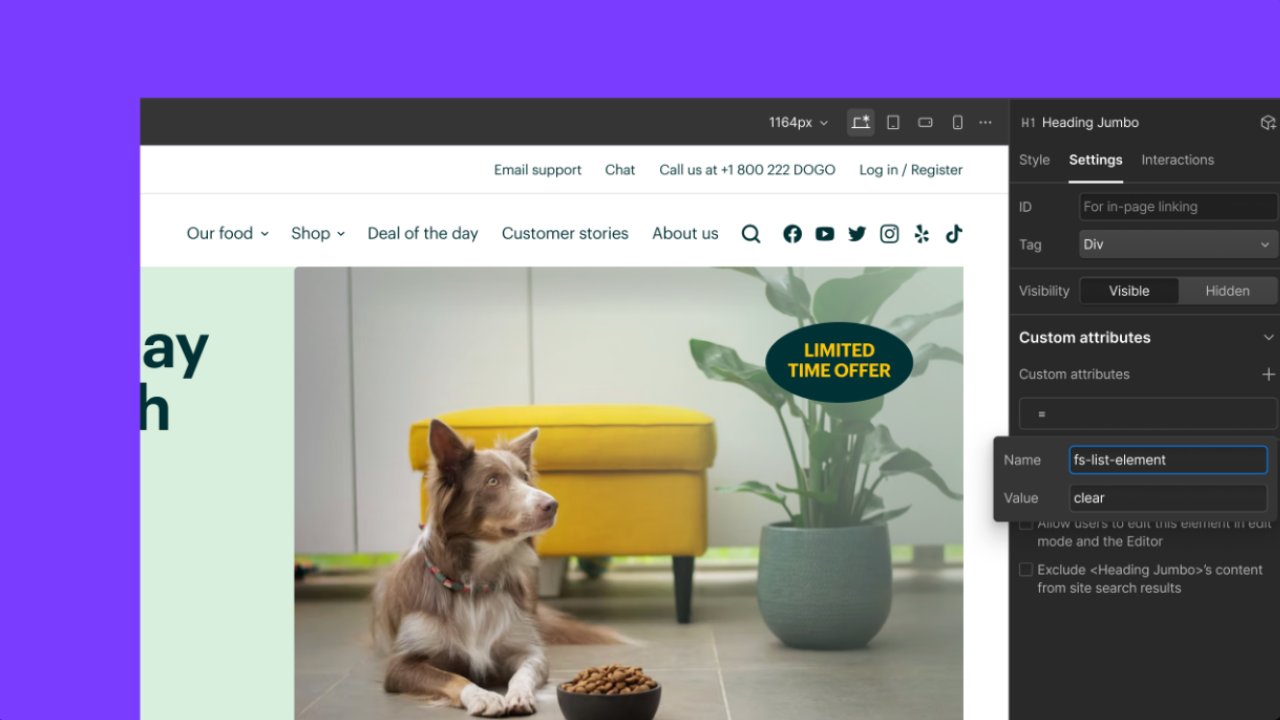
Managing custom data attributes across multiple canvas elements is significantly faster with Split Attribute Paste. Designers can copy and distribute attribute key-value pairs selectively across elements, speeding up custom JavaScript bindings, accessibility tags, and third-party script integrations.
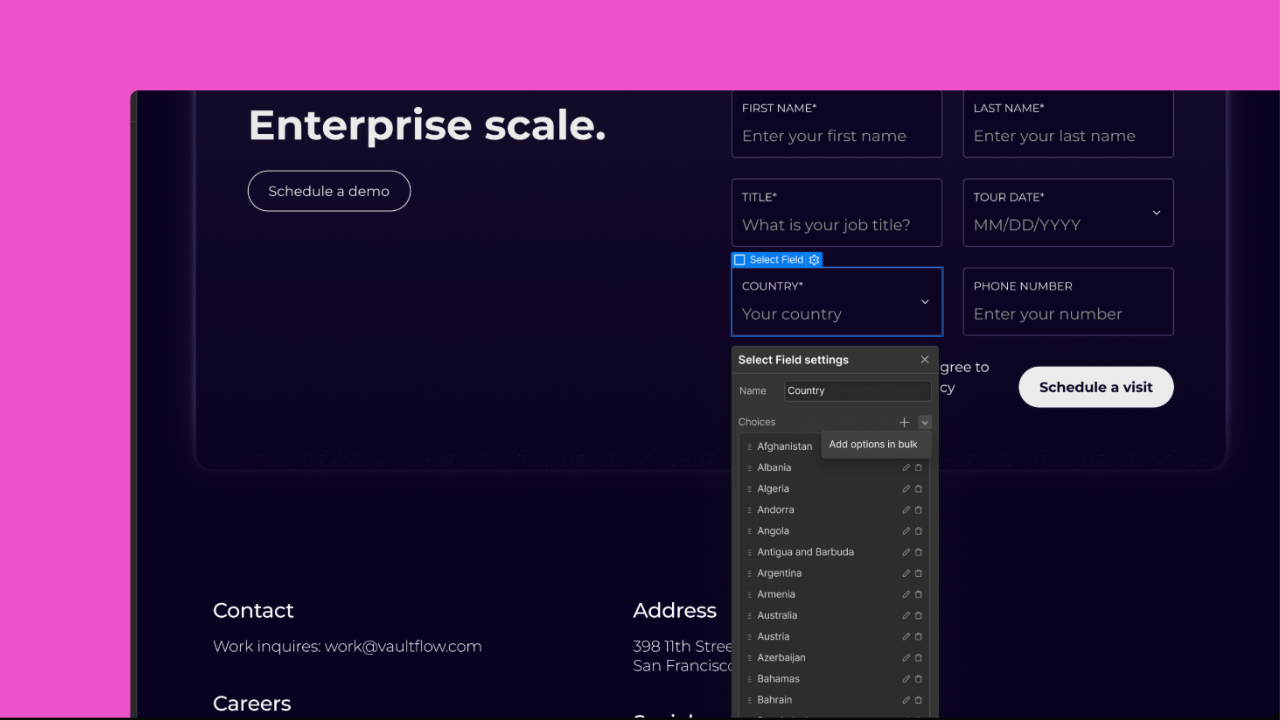
Updating form select fields or multi-option elements manually used to be time-consuming. Bulk Form Options allows you to paste, import, and manage large lists of select choices or form inputs in a single action, eliminating manual entry for complex contact, onboarding, or survey forms.
Follow this step-by-step framework to adopt these new capabilities into your active site builds:
1. Audit Workspace AI Credits: 2 minutes.Check your team plan's credit allocation inside Workspace Settings to understand usage thresholds before running automated content tasks.
2. Organize Complex CMS Schemas: 3 minutes.Structure existing client CMS fields into clear, labeled categories (e.g., "SEO Meta", "Hero Content", "Author Info") using CMS Field Grouping.
3. Refactor Component Libraries with Slots: 3 minutes.Replace repetitive component variants with single slot-enabled components. Drop custom elements into slots while maintaining master structural rules.
4. Establish Branching & Form Procedures: 2 minutes.Implement Page Branching for team site builds and use Bulk Form Options to streamline multi-field client onboarding forms.
Prefer a full visual walkthrough of these features on the Canvas? Watch the complete step-by-step video below:
Watch the Video: Webflow Updates: CMS Grouping, ChatGPT, Page Branching & Slots

