




Learn how to install an AI chatbot that crawls your Webflow site to provide 24/7 automated support. Step-by-step no-code guide for 2026.

In 2026, a static website isn’t enough. Clients want automation, and visitors want instant answers. Adding an AI chatbot that actually crawls your site to provide accurate, real-time support is one of the highest-value upgrades you can offer as a Webflow developer.
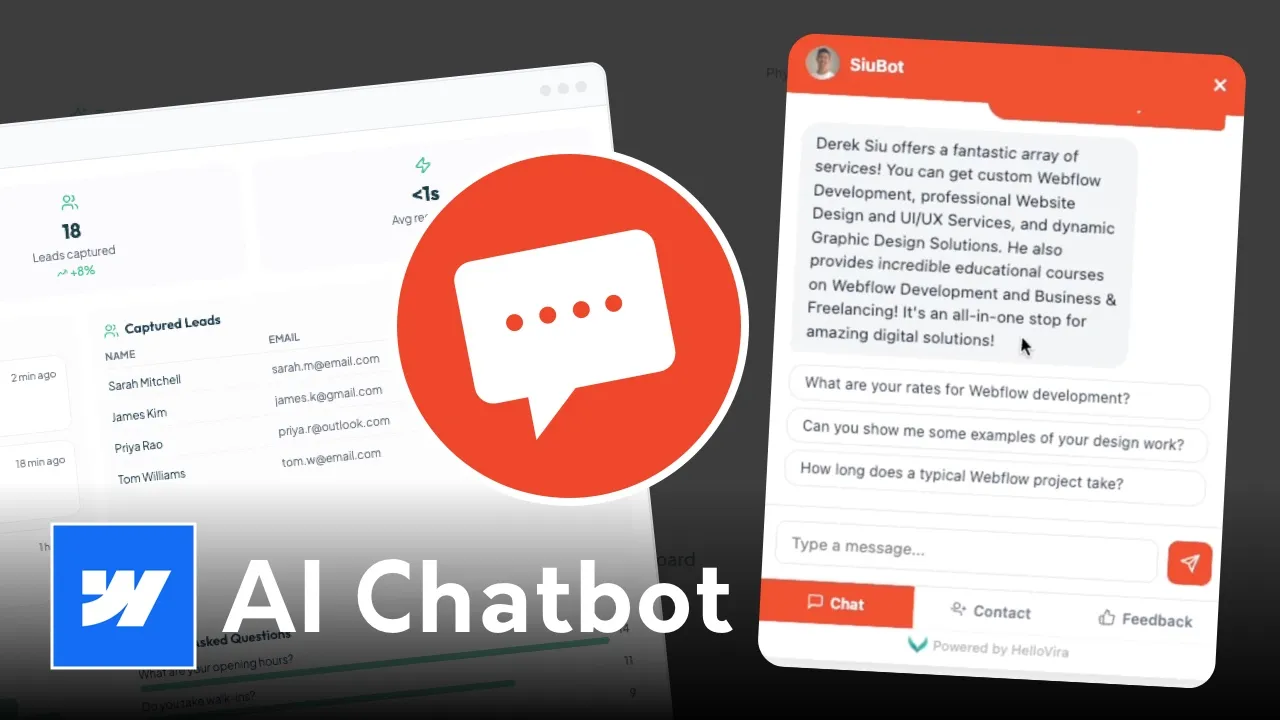
In this guide, we’re looking at how to integrate an AI assistant using HelloVira—a tool that learns your content automatically so you don’t have to manually program every response.
Standard chatbots rely on rigid "if-this-then-that" logic. Site-crawling AI is different because it:
While there are dozens of chatbot platforms on the market, most are built for enterprise teams with massive budgets. HelloVira is different. It’s specifically designed for service-based businesses—like health clinics, salons, and law firms—that need a professional AI assistant without the $400/month price tag.
The biggest hurdle with most chatbots is the setup time. You usually have to manually "feed" the bot every single question and answer. HelloVira flips the script:
When you compare HelloVira to enterprise tools like Podium or Intercom, the value is clear:
Setting up HelloVira is a three-step process that takes less than five minutes:
Special Offer: You can lock in the Founding Member rate of $29/month (before it rises to $39/month on May 1) and try the platform completely free for 14 days.
👉 Start your 14-day free trial at HelloVira.com
Before you touch Webflow, you need to give your bot a "brain." In the HelloVira dashboard, you simply enter your website URL. The AI will crawl your pages and build a knowledge base based on your actual site content.
You can style the chat bubble to match your brand colors. Since we’re all about high-end UI/UX, make sure your brand hex codes are ready so the bot looks like a native part of your design.
Webflow makes this easy. You don’t need to be a coder; you just need to know where to paste the snippet:
To ensure your chatbot doesn't hurt your site performance or user experience, follow these rules:
pointer-events: none on overlays if you are building a custom trigger.Adding AI to your Webflow toolkit allows you to charge more for your projects and provide a better result for your clients. It’s no longer about just building a site; it’s about building a system.
Ready to try it out? You can try HelloVira free for 14 days to see how it handles your site content: https://hellovira.com/