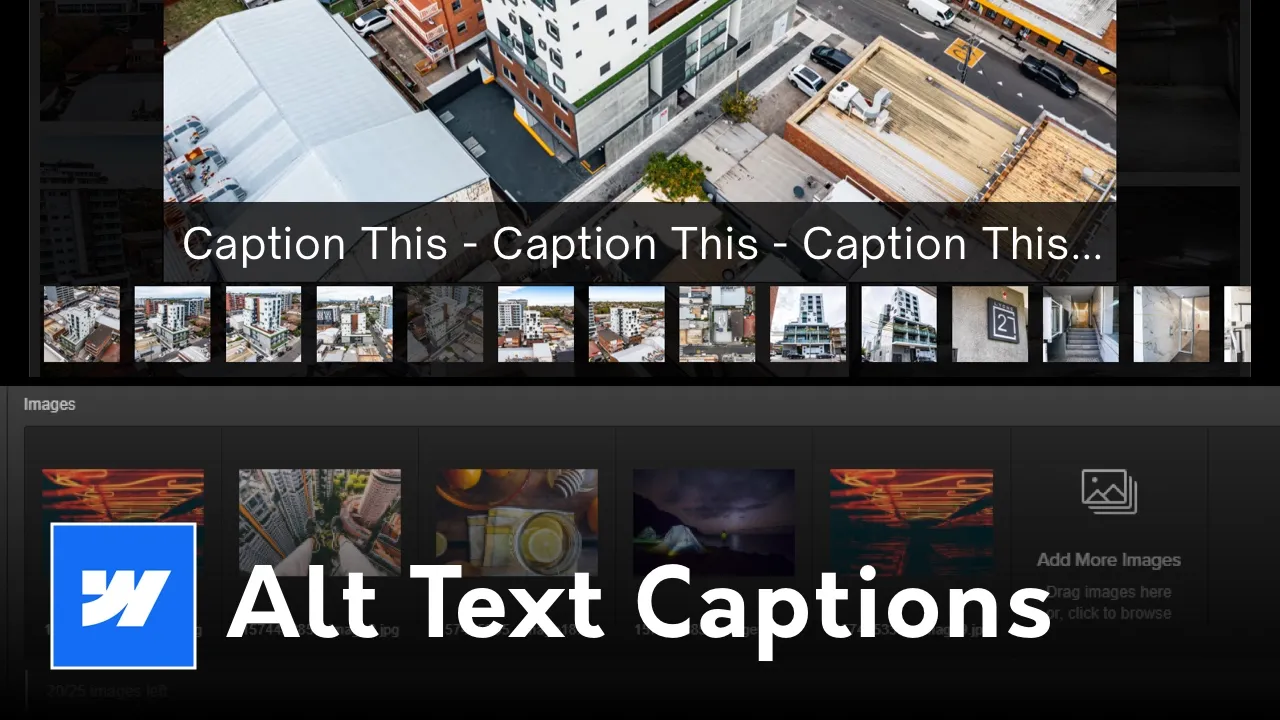







Learn how to add dynamic CMS lightbox captions in Webflow using Sygnal Attributes (SA5). A step-by-step guide to fixing Webflow’s native lightbox limitations.

<link rel="stylesheet"
href="https://cdn.jsdelivr.net/gh/sygnaltech/webflow-util@5.7.1/dist/css/webflow-elements.css"
dev-href="http://127.0.0.1:4000/dist/css/webflow-elements.css"
devproxy-group="sa5"
>
<script defer
src="https://cdn.jsdelivr.net/gh/sygnaltech/webflow-util@5.7.1/dist/nocode/webflow-elements.js"
dev-src="http://127.0.0.1:4000/dist/nocode/webflow-elements.js"
devproxy-group="sa5"
></script>
After you pasted the code from above in the head code add this name attribute:
wfu-lightbox-captions
To the CMS lightbox - no value is required (ie. leave blank)
Webflow’s native Lightbox is a great tool, but it has one glaring limitation: it doesn’t support dynamic captions from a CMS Multi-Image field. If you are a developer or designer building high-end galleries on Webflow, you've likely hit this wall. You want your captions to update dynamically when you change the Alt Text in the CMS, but Webflow's native functionality just won't do it.
Here is the exact workflow I use at Derek Siu Design to solve this using the Sygnal Attributes (SA5) library.
By default, Webflow only allows "static" captions in lightboxes. Even if you link your images to a CMS field, the lightbox often fails to pull the metadata (Alt Text) into the caption area of the expanded view. This creates a disjointed user experience where the context of the image is lost.
Sygnal’s library is a lightweight way to add "missing" features to Webflow. We can use the wfu-lightbox-captions attribute to force the lightbox to pull the image's Alt Text and display it as a caption.
Paste this into your page settings or an HTML Embed block to initialize the library:
HTML
<script defer src="https://cdn.jsdelivr.net/gh/sygnaltech/webflow-util@5.7.1/dist/nocode/webflow-elements.js"></script>
Select your Lightbox Link element and go to Custom Attributes in the settings panel. Add:
wfu-lightbox-captionsMake sure your Image element inside the Lightbox is set to "Get Alt Text from [Your CMS Field]". The script will now automatically grab that text and inject it into the lightbox UI when a user clicks the image.
Pro Tip: Styling the Captions
To ensure the captions match the sleek UI/UX of your site, you can target the lightbox caption class directly with a bit of CSS. This ensures your typography (like Inter) remains consistent:
<style>
  .w-lightbox-caption {
    font-family: 'Inter', sans-serif;
    font-weight: 500;
    text-align: center;
    background-color: rgba(0,0,0,0.8);
    padding: 1rem;
    border-radius: 8px;
  }
</style>
Using this method doesn't just help the user; it helps Google. By leveraging the Alt Text field for captions, you are providing descriptive metadata that search engines use to index your images, improving your site’s overall visibility for image-based searches.
Building something complex in Webflow? I specialize in custom Webflow builds and UI/UX solutions that go beyond the standard template. View my work or get in touch to discuss your next project.
<script type="application/ld+json">
{
"@context": "https://schema.org",
"@type": "HowTo",
"name": "How to Add Dynamic CMS Lightbox Captions in Webflow",
"description": "A guide on using Sygnal Attributes to display dynamic captions in Webflow CMS lightboxes.",
"step": [
{
"@type": "HowToStep",
"text": "Add the Sygnal Attributes script to your Webflow project."
},
{
"@type": "HowToStep",
"text": "Add the custom attribute 'wfu-lightbox-captions' to the Lightbox Link element."
},
{
"@type": "HowToStep",
"text": "Bind the Image Alt Text to a CMS field to pull dynamic data."
}
]
}
</script>
<script type="application/ld+json">
{
"@context": "https://schema.org",
"@type": "FAQPage",
"mainEntity": [
{
"@type": "Question",
"name": "Why doesn't Webflow support CMS lightbox captions natively?",
"acceptedAnswer": {
"@type": "Answer",
"text": "Webflow's native lightbox element is currently built to pull static metadata. It lacks a direct binding for dynamic CMS fields within the lightbox modal UI."
}
},
{
"@type": "Question",
"name": "What is the wfu-lightbox-captions attribute?",
"acceptedAnswer": {
"@type": "Answer",
"text": "It is a custom attribute from the Sygnal Attributes library that triggers a script to inject the image Alt Text into the lightbox caption area."
}
},
{
"@type": "Question",
"name": "Will this slow down my Webflow site performance?",
"acceptedAnswer": {
"@type": "Answer",
"text": "No. The Sygnal Attributes script is lightweight and uses 'defer' to ensure it loads without blocking the rendering of your page."
}
},
{
"@type": "Question",
"name": "Can I style the captions with custom CSS?",
"acceptedAnswer": {
"@type": "Answer",
"text": "Yes, you can target the '.w-lightbox-caption' class in your Webflow Global Styles or an HTML embed to customize typography, colors, and layout."
}
},
{
"@type": "Question",
"name": "Do I need to be a coder to use Sygnal Attributes?",
"acceptedAnswer": {
"@type": "Answer",
"text": "Not at all. It is a 'no-code' solution that only requires copying a script and adding a simple attribute name to your element settings."
}
}
]
}
</script>